By Trusted Tech Buys
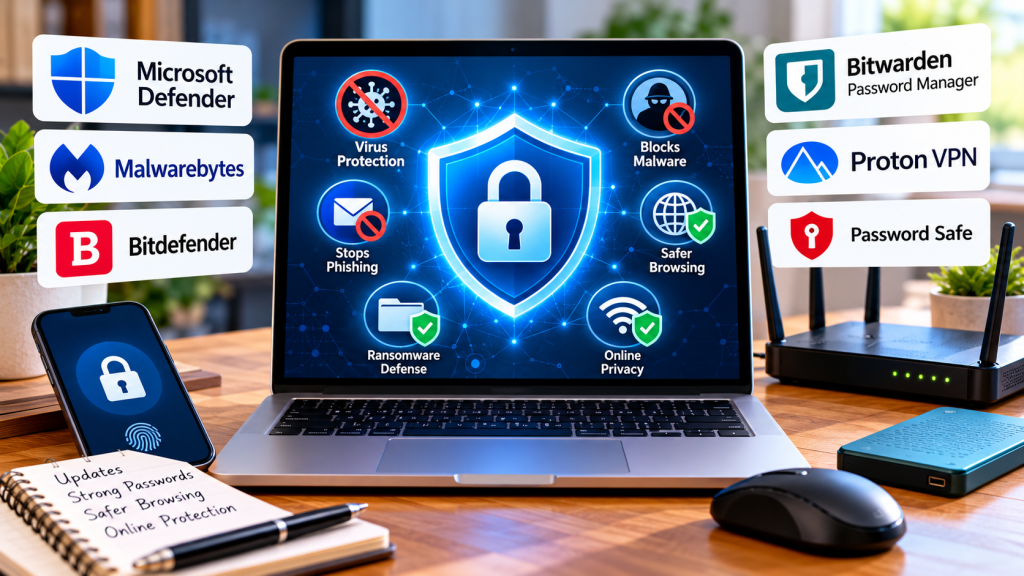
The internet makes shopping, banking, reading the news, and staying connected with family easier than ever. But it also exposes us to scams, malicious software, identity theft, fake websites, and attempts to steal personal information. You don’t have to be a computer expert to protect yourself. With the right security settings and a few trustworthy tools, you can make your computer and online accounts much safer. At Trusted Tech Buys, our goal is to explain technology in plain English so you can choose the protection that fits your needs and budget.
WHAT IS ANTIVIRUS SOFTWARE, AND WHY DOES IT MATTER?
Antivirus software is designed to detect, block, and remove malicious programs. These threats, often called malware, can include viruses, spyware, ransomware, and other software intended to damage devices or steal information.
For example, you might receive an email claiming to contain an important invoice. You open an attachment, and a malicious program attempts to install itself on your computer. Security software may detect and block the threat before it causes damage.
Modern security products often do more than traditional antivirus programs. Depending on the product and subscription, they may include protection against fraudulent websites, phishing attempts, suspicious downloads, ransomware, or unauthorized access.
However, no security program catches every threat. Software updates, safe browsing habits, backups, and strong account security remain important.
1. MICROSOFT WINDOWS SECURITY: START WITH WHAT YOU ALREADY HAVE
If you use a Windows computer, you may already have useful security protection built into the operating system. Microsoft Defender Antivirus, included with Windows Security on supported Windows systems, helps protect against malware and other threats.
For many people who browse the web, check email, shop online, and use everyday applications, the built-in protection is a sensible starting point.
What makes it useful?
- It is built into supported Windows versions.
- It provides antivirus and threat-detection features.
- Windows Security lets you check your protection status and run scans.
- Security updates help address newly discovered threats.
What should you know?
Built-in protection does not make you immune to scams, stolen passwords, or fraudulent websites. You still need to be careful about unexpected email attachments, suspicious links, and fake technical-support messages.
You can learn more through the official Microsoft Windows Security website.
Our advice: Before paying for another antivirus product, check what protection your computer already has. Avoid running multiple real-time antivirus programs simultaneously unless their vendors specifically support that configuration, because conflicts can occur.
2. MALWAREBYTES: ANOTHER SECURITY OPTION TO CONSIDER
Malwarebytes is a security company offering products intended to detect and protect against malware and other online threats. Depending on the product and plan, features may include real-time protection, malicious website blocking, and additional privacy or security capabilities.
It may be worth comparing Malwarebytes with your existing protection if you want additional features or need help addressing a suspected malware problem.
Before purchasing, examine exactly what the plan includes. Some security products offer free scanning or limited features, while continuous protection and other capabilities may require a paid subscription.
3. BITDEFENDER: A PAID SECURITY SUITE TO COMPARE
Bitdefender offers security software for home users, with different products and plans depending on the devices and features you need.
Some plans may include antivirus protection, web threat prevention, ransomware defenses, and additional privacy features. The precise features, device limits, and prices vary by product and subscription.
Bitdefender is worth comparing if you want a paid security suite rather than relying exclusively on built-in protection.
Before buying, ask yourself:
- How many computers or phones need protection?
- Does the plan cover Windows, Mac, Android, or iOS devices you actually use?
- Are the features you want included in the advertised price?
- What will the renewal cost after any introductory offer?
Visit Bitdefender
4. PASSWORD MANAGERS: PROTECT YOUR ONLINE ACCOUNTS
Antivirus software is only one part of online security. Password theft is another major concern, particularly when people reuse the same password across multiple websites.
A password manager helps generate and store strong, unique passwords for different accounts. Instead of memorizing dozens of passwords, you generally need to remember one strong master password or use the manager’s supported sign-in method.
Consider Bitwarden, a password-management service with a free offering and paid options. You can learn more at the official Bitwarden website.
A password manager can be especially useful for protecting your email, online shopping accounts, and financial services. Protect the manager itself with a strong master password and multifactor authentication where available.
One important tip: Never reuse your email password on other websites. Your email account is particularly important because it may be used to reset passwords for your other accounts.
5. VPN SOFTWARE: WHAT IT DOES AND WHAT IT DOESN’T DO
A virtual private network, or VPN, creates an encrypted connection between your device and a VPN server. It can help protect data traveling across certain networks, especially when you are using public Wi-Fi.
For example, a VPN may be useful when connecting through Wi-Fi at a hotel, airport, or coffee shop. However, HTTPS websites already encrypt much of the information exchanged between your browser and the website.
A VPN does not automatically make you anonymous, prevent every scam, remove all malware, or guarantee that a website is safe. It also shifts some trust to the VPN provider, which can potentially observe information about your connection.
If you are considering a VPN, research the provider’s reputation, privacy policy, security practices, and subscription terms. Do not choose one solely because it advertises itself as free.
You can explore NORD VPN as one option to compare. Review the current plan details and limitations before signing up.
6. HOW TO RECOGNIZE ONLINE SCAMS
Even the best security software cannot stop every scam. Criminals often rely on tricking people into giving away information or voluntarily installing harmful software.
Watch for these common warning signs:
- Urgent messages: An email claims your account will be closed unless you act immediately.
- Fake security alerts: A webpage announces that your computer is infected and provides a phone number to call.
- Unexpected attachments: An unfamiliar sender provides a document or file you weren’t expecting.
- Suspicious payment demands: Someone asks for gift cards, cryptocurrency, or unusual payment methods.
- Impersonation: A message pretends to come from your bank, a delivery company, a government agency, or a familiar business.
If you receive a suspicious message, don’t use its links or telephone numbers. Instead, contact the organization through its official website or a phone number you already know is legitimate.
If a pop-up claims your computer is infected, don’t call the number displayed. Close the page if possible and check your computer using its legitimate security tools.
The Federal Trade Commission provides additional guidance at its official online security resource center.
7. SEVEN STEPS TO IMPROVE YOUR ONLINE SECURITY TODAY
You don’t necessarily need to purchase anything to improve your protection. Start with these practical steps:
- Install updates. Keep your operating system, browser, and applications updated. Enable automatic updates where appropriate.
- Check your antivirus. Confirm that your existing security protection is enabled and up to date.
- Use unique passwords. Create a different, strong password for every important account.
- Enable multifactor authentication. Use it especially for email, banking, shopping, and social media accounts. An authenticator app or security key can provide stronger protection than text-message codes where supported.
- Secure your home Wi-Fi. Change default router administrator credentials and use modern Wi-Fi security settings supported by your router.
- Back up important files. Maintain a backup of documents, photographs, and other files you cannot afford to lose. Keep a backup copy protected from ransomware.
- Be cautious with links. Don’t click unexpected links, download unknown attachments, or grant remote access to someone who contacts you unexpectedly.
These measures work together. A security program is valuable, but it cannot replace good account habits and reliable backups.
8. SHOULD YOU PAY FOR ANTIVIRUS SOFTWARE?
The answer depends on your situation. Some people will benefit from a paid security suite, while others may be well served by their computer’s built-in protection and sensible security practices.
A paid product may be worth considering if you want additional features, need coverage for several devices, or prefer a particular security company’s tools. But don’t pay for features you don’t need.
Before subscribing, compare the actual protection included, supported devices, automatic renewal terms, cancellation process, and full renewal price. Be wary of advertisements that use frightening warnings to pressure you into buying immediately.
Also, be cautious of unexpected calls or pop-ups claiming that a company has detected a virus on your computer. Legitimate security companies generally do not need to frighten you into purchasing protection through an unsolicited warning.
OUR RECOMMENDATION: START WITH THE BASICS
For beginners, our advice is straightforward: check your existing security protection first, install updates, use unique passwords, enable multifactor authentication, and keep important files backed up.
If you want additional protection, compare reputable products such as Malwarebytes and Bitdefender. If password management is a challenge, investigate a password manager. Consider a VPN when you have a clear reason to use one, but understand its limitations.
The best security setup is not necessarily the most expensive one. It is the one you understand, maintain, and use consistently.
At Trusted Tech Buys, we’re here to make technology easier for everyone, including people who don’t consider themselves computer experts. Our goal is to help you understand your options, avoid unnecessary purchases, and make informed decisions about protecting your devices and personal information.


We Welcome Your Reply